
Never forget a customer
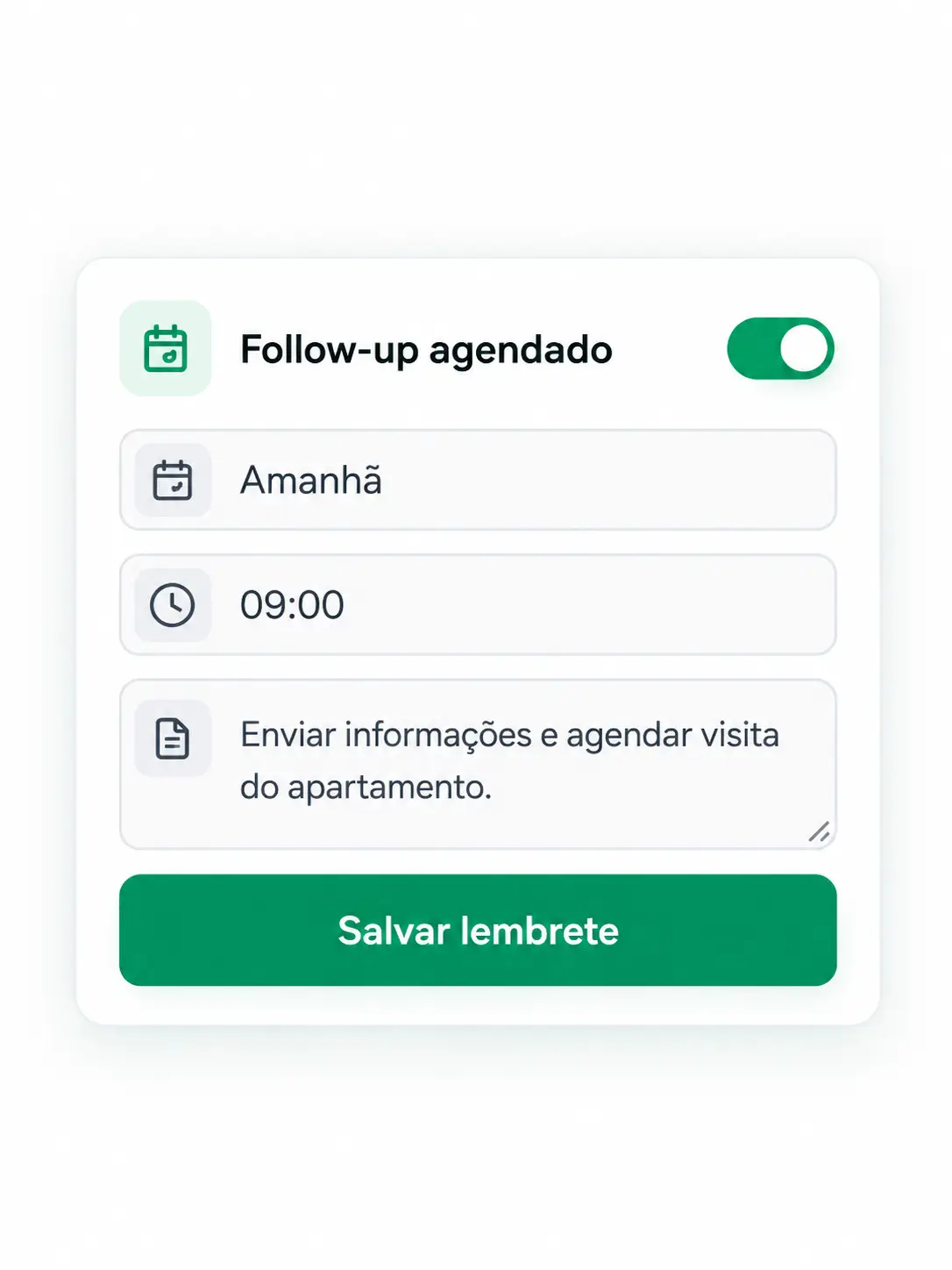
Schedule follow-ups and get reminders for your deals.
CRM for WhatsApp Web
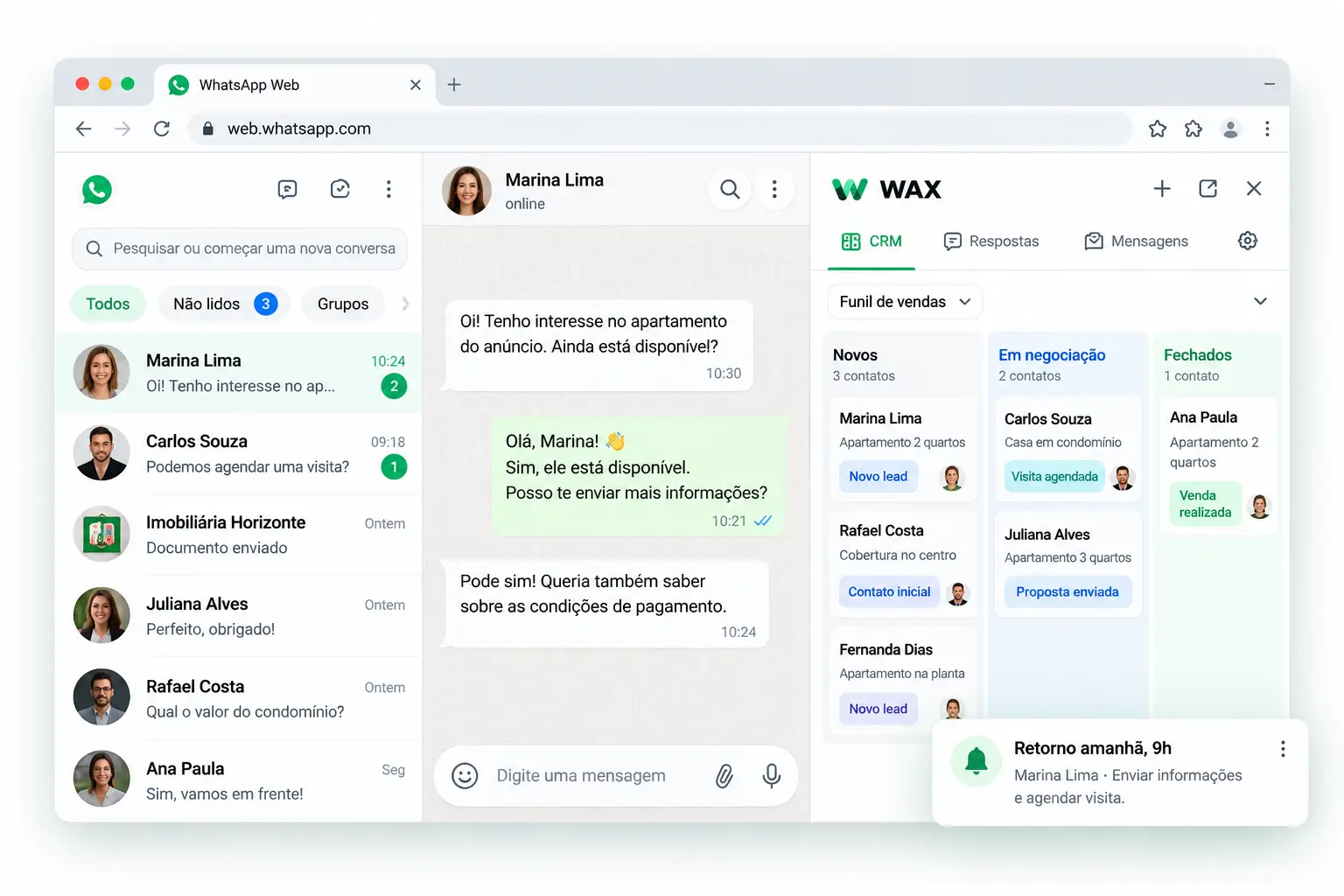
Organize your contacts, track negotiations, and schedule follow-ups without leaving WhatsApp Web.
Features
Simple, powerful tools inside WhatsApp Web.
Schedule follow-ups and get reminders for your deals.
Use the Kanban CRM to track each stage of your sale.
Use quick replies to send information in one click.
How it works
It is fast, and you start organizing your sales right away.
Add the WAX extension quickly and easily.
The extension turns on automatically.
Start using the CRM, schedule follow-ups, and reply faster.
Plans
Try every feature for 14 days. No credit card. Then subscribe to Pro to keep going.
Trial
14-day free trial
$0/ for 14 days
Most popular among professionals
Pro
For people who really sell
From $19.90
$2.99/month
After the trial · Cancel anytime
FAQ
Everything you need to know before getting started
Click “Install free on Chrome”, open the Chrome Web Store, click “Add to Chrome”, and open WhatsApp Web normally. The WAX panel appears next to your conversations. After installing, complete registration to start your 14-day trial.
During the trial you get full access to every feature. After 14 days, access is locked until you subscribe to Pro. There is no permanent free plan after the trial.
No. WAX works on top of the WhatsApp Web you already use in the browser. No password is requested and no account is connected to external systems.
No. Contacts, schedule history, and settings are stored locally in your browser. None of your conversations go to our servers.
Yes. You can cancel the Pro subscription anytime, with no fees. The 14-day trial also requires no credit card.
WAX is a Google Chrome extension for desktop. It works with WhatsApp Web — the version of WhatsApp in your PC or Mac browser.
